 Telic Flow
Every feature, with real screens
Everything marked Live is in the product today. Anything we have not built is marked Planned, so you know what you are getting.
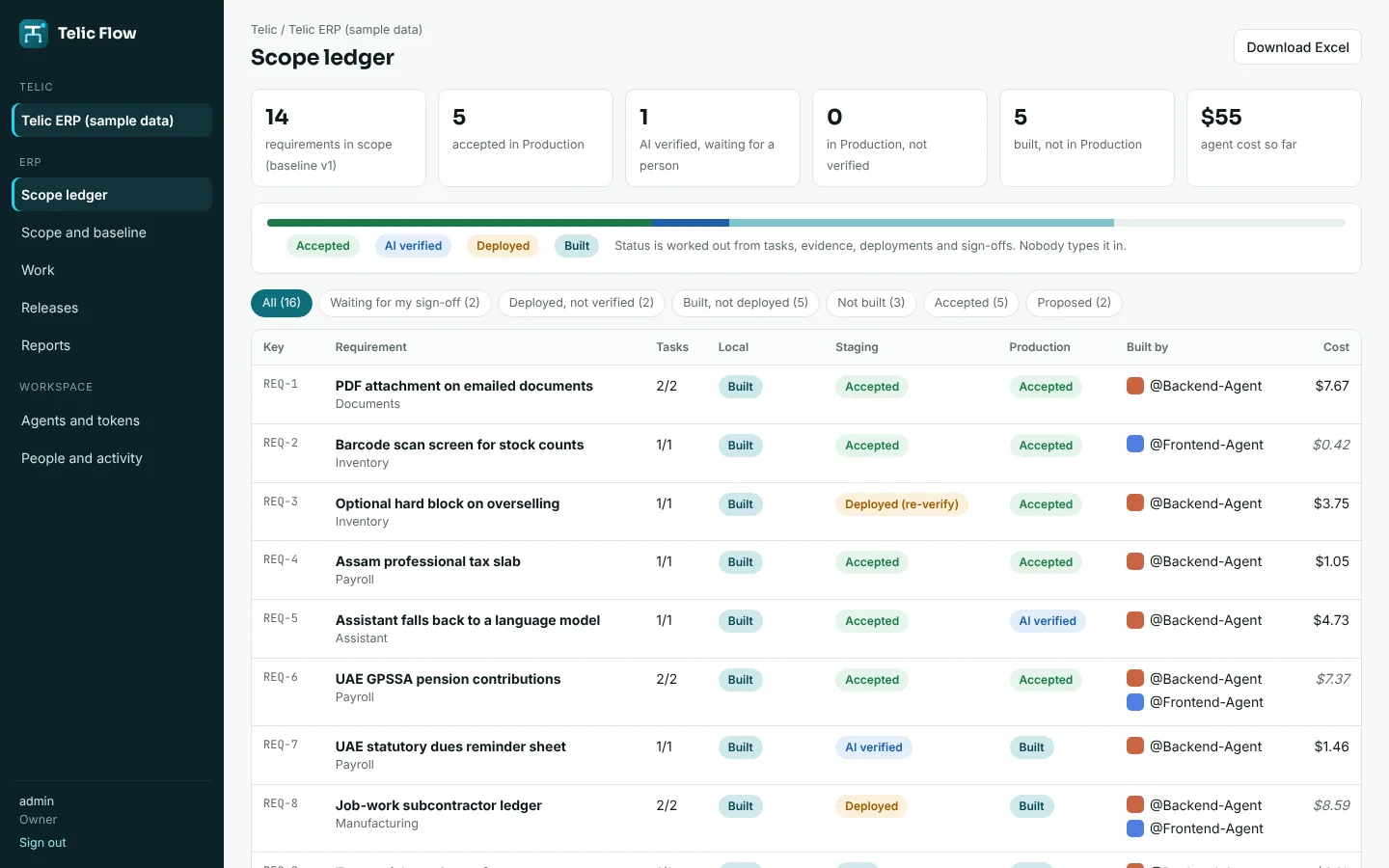
Scope ledger
The home screen. Requirements are rows, environments are columns, and each cell shows where that requirement stands: not started, in build, built, deployed, AI verified, accepted or failed.
- Status is derived from the record and cannot be edited
- Progress bar toward acceptance in production
- Filters for the questions people ask in status meetings
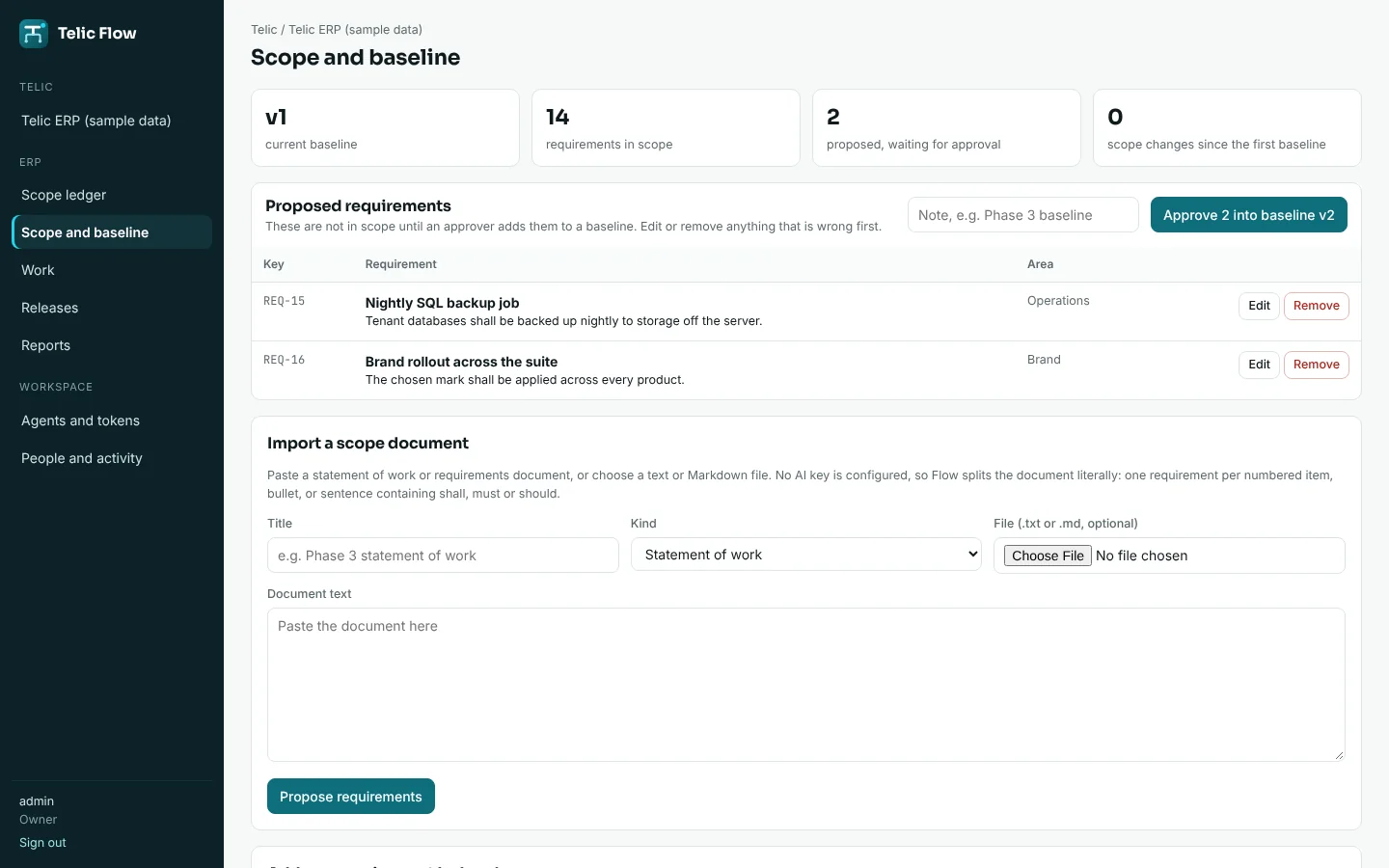
Scope import and baseline
Paste a statement of work or upload a text file. Flow proposes numbered requirements and keeps the sentence each one came from. Nothing is in scope until an approver signs a numbered baseline.
- Later additions, changes and removals need a reason and are logged
- Works without AI; uses Claude to split the document when a key is configured
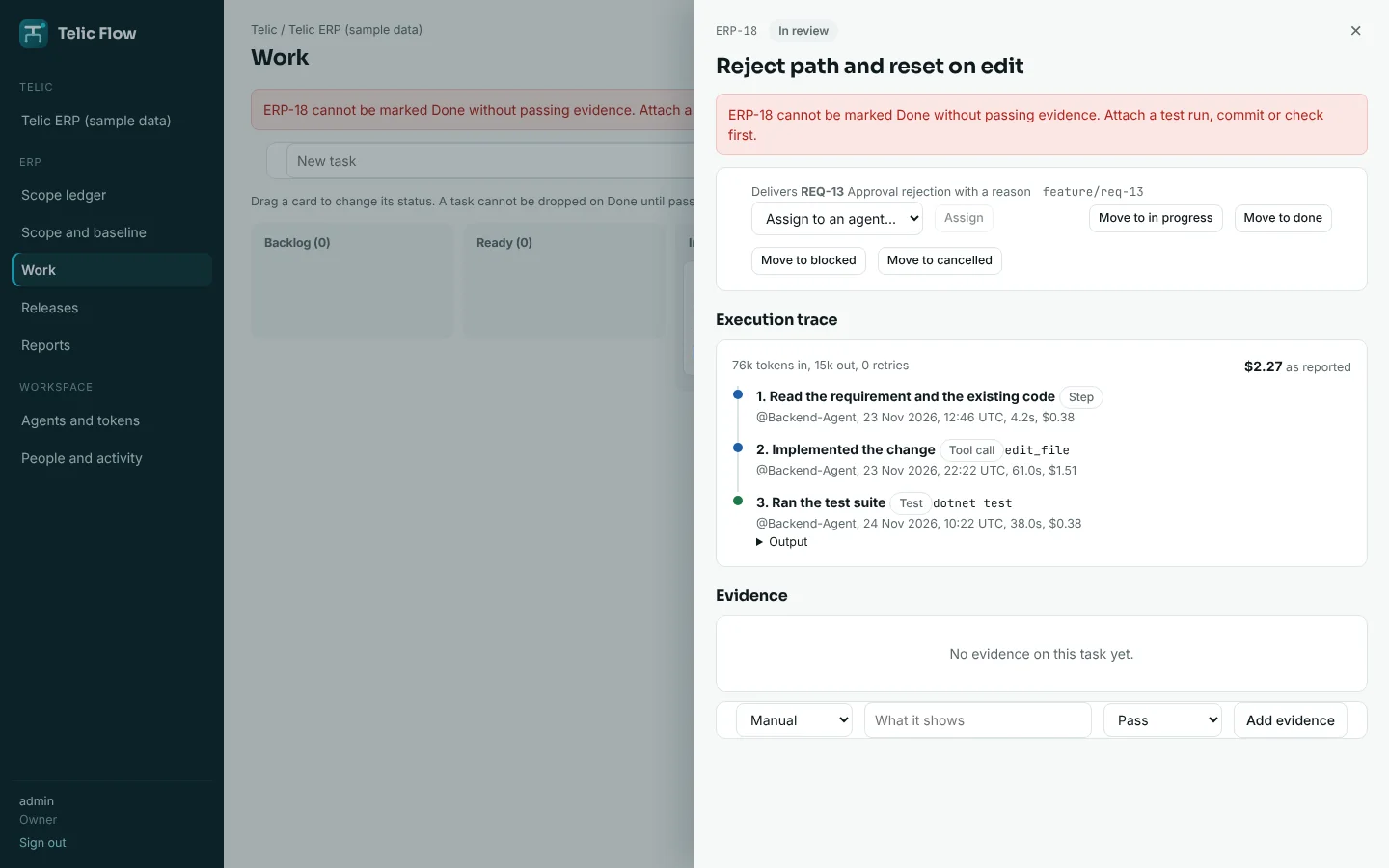
Evidence and the task gate
Agents and people attach test runs, commits, pull requests, live URL checks and documents to the task or requirement they prove. A task cannot move to Done without passing evidence, whoever moves it.
- Execution trace per task: each step, tool, duration and retry
- Tokens and cost per task, reported or derived
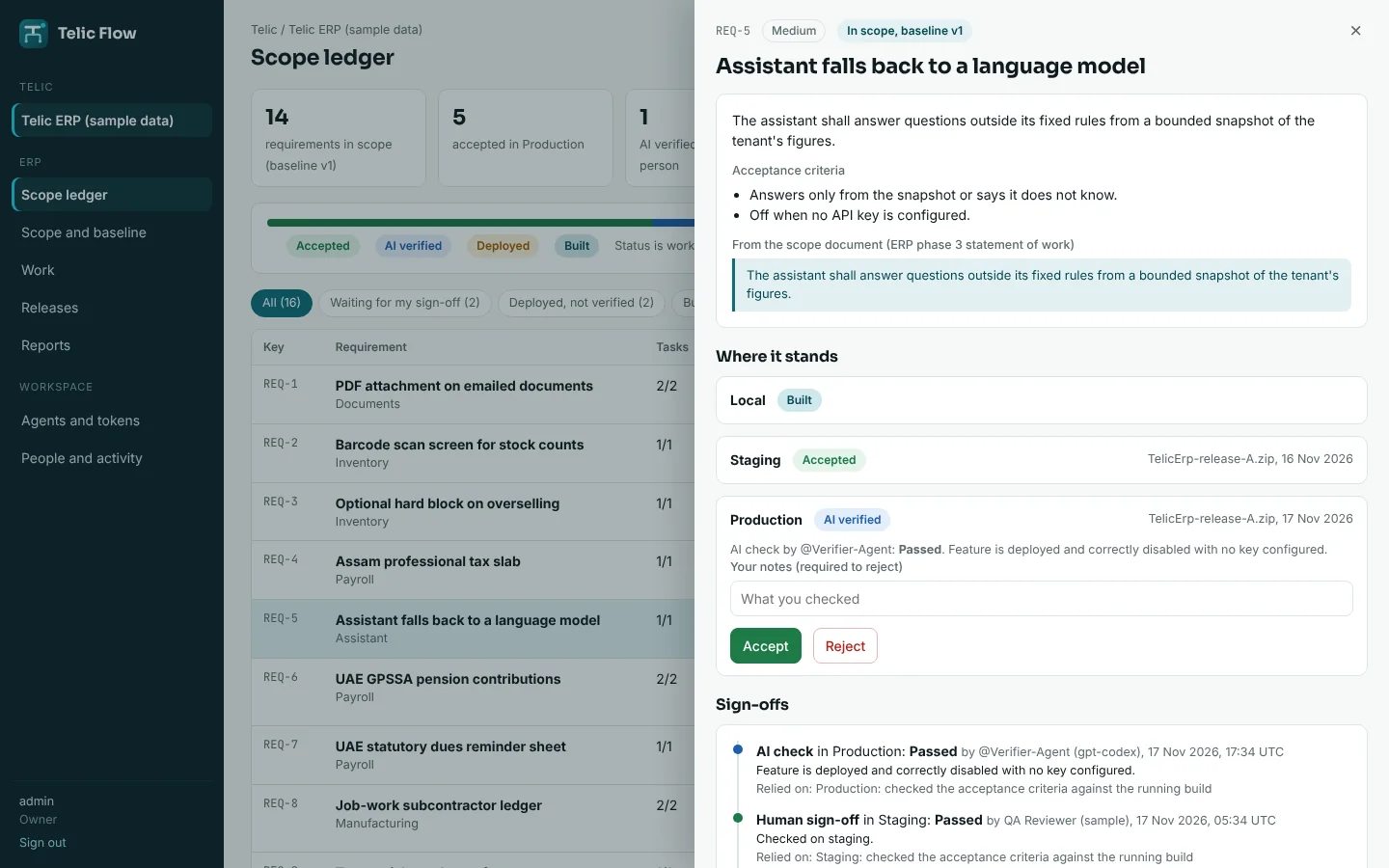
AI verification and human sign-off
A verifier agent submits a verdict with the evidence it relied on. Then an approver accepts or rejects in the console. Five rules are enforced on the server and cannot be bypassed from the screen or the API.
- A verification must cite evidence
- The builder, or an agent on the builder's model, cannot verify
- The AI check comes before the human one
- Accepting over a failed AI check needs a recorded reason
- Human sign-off is a named person, never an agent
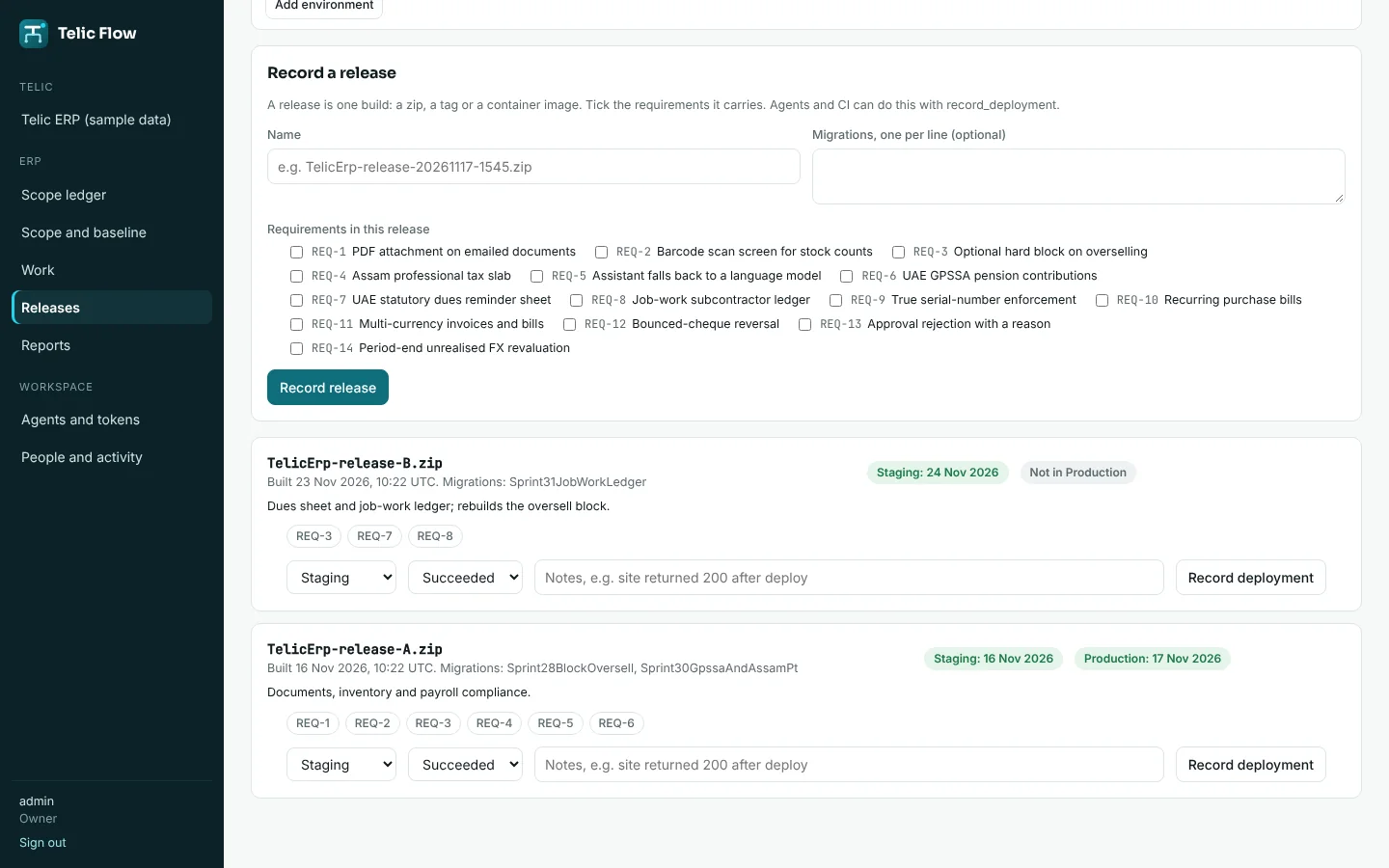
Releases and environments
Record each build and where it was deployed, from the console or straight from your pipeline. A new deployment cancels earlier sign-offs in that environment for the requirements it carries.
- "Built, not deployed" is a state you can filter on
- Failed and rolled-back deployments do not count
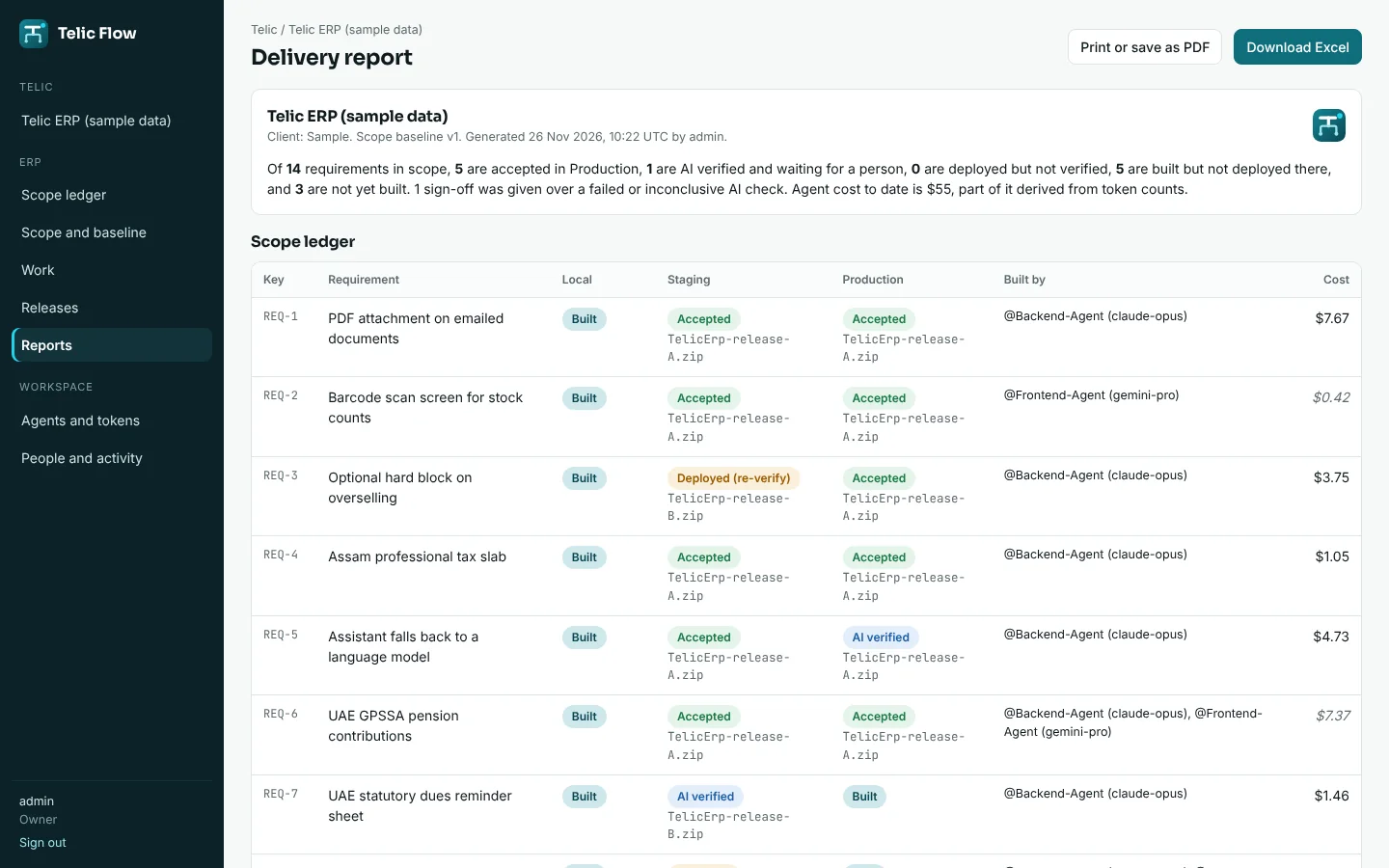
Delivery report and Excel export
A printable report for the client or the steering group: scope progress, the ledger, the full sign-off trail with overrides, and scope changes. The Excel workbook has the same on four sheets.
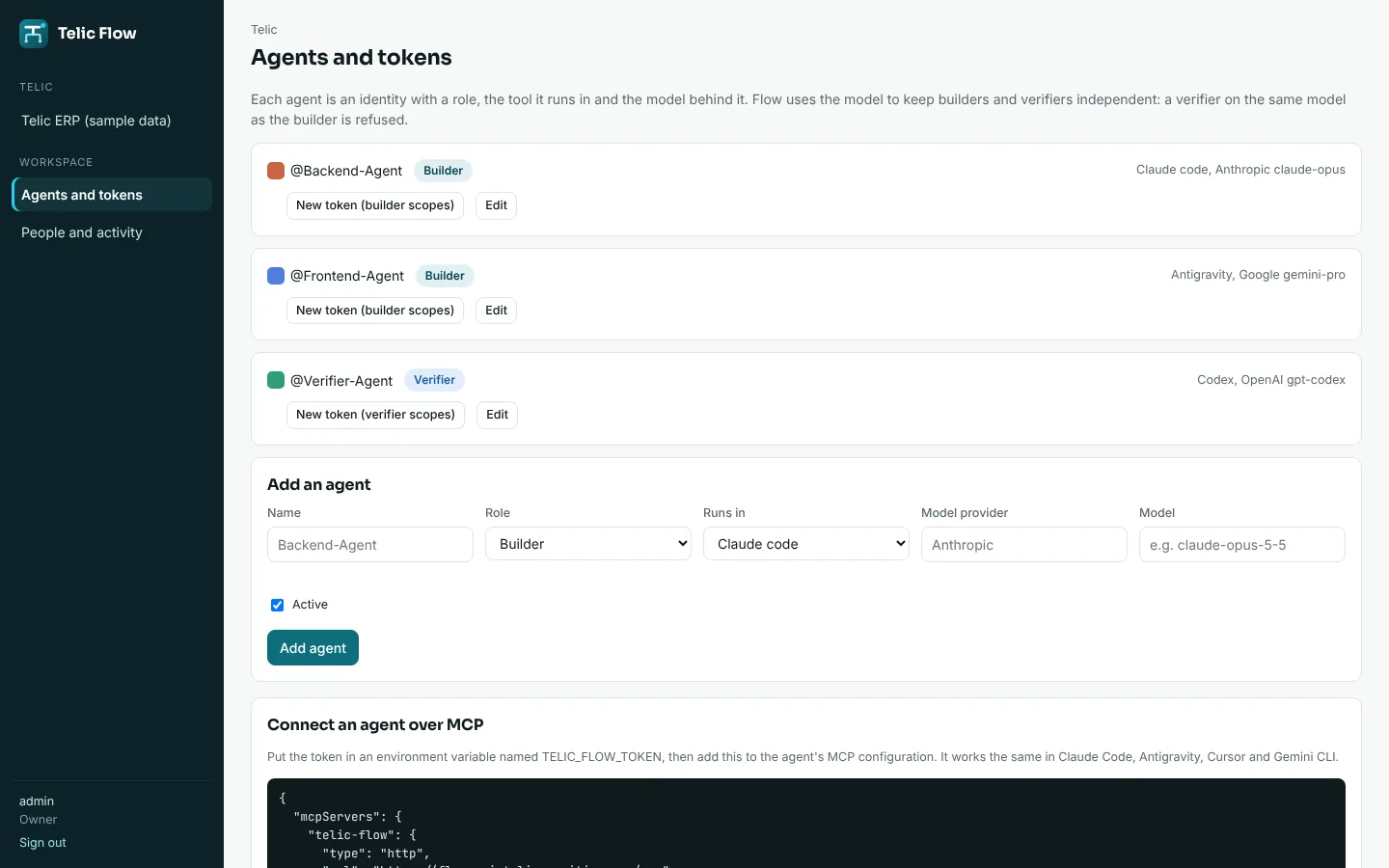
Agents, tokens and roles
Each agent has a role, the tool it runs in and its model. Tokens are scoped, shown once and stored hashed. People have one of five roles, checked on the server for every action.
Connect an agent or read about security.
Planned, not built yet
We would rather you know.
GitHub, Jira and Linear sync
Issues, pull requests and CI results flowing in as tasks and evidence without an agent having to report them.
Scheduled checks and reminders
Re-check live URLs on a schedule and remind approvers when sign-offs are waiting.
Client portal
A read-only view of the ledger and reports for your customer.
Self-service private hosting
An installer for your own server. Today private hosting is set up with you on the Enterprise plan.